äèï

Questions and answers about Email-Services

Back to all categoriesn
  • How do I set up an out-of-office reply?

    An out-of-office reply automatically responds to incoming emails, for example while you are on holiday.
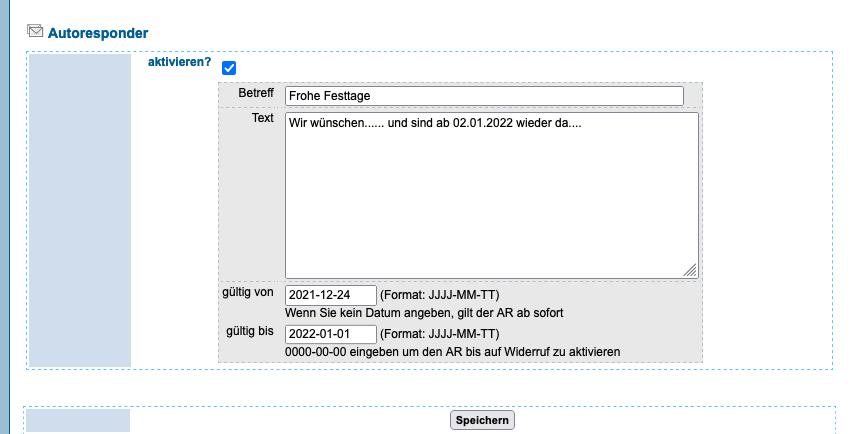
    1. Sign in at manage.edis.at and open the email configuration.
    2. Enter your out-of-office message.
    3. Choose the date range using the year-month-day format.
    4. Click “Save” at the bottom of the page.
    Out-of-office reply
    Out-of-office reply
  • What if my internet provider blocks SMTP port 25?

    Some internet providers block outgoing connections on SMTP port 25 to reduce spam.

    Use port 587 to send email and select “STARTTLS” encryption in your email program.

    If you cannot send email with these settings, contact EDIS support for help with the configuration.

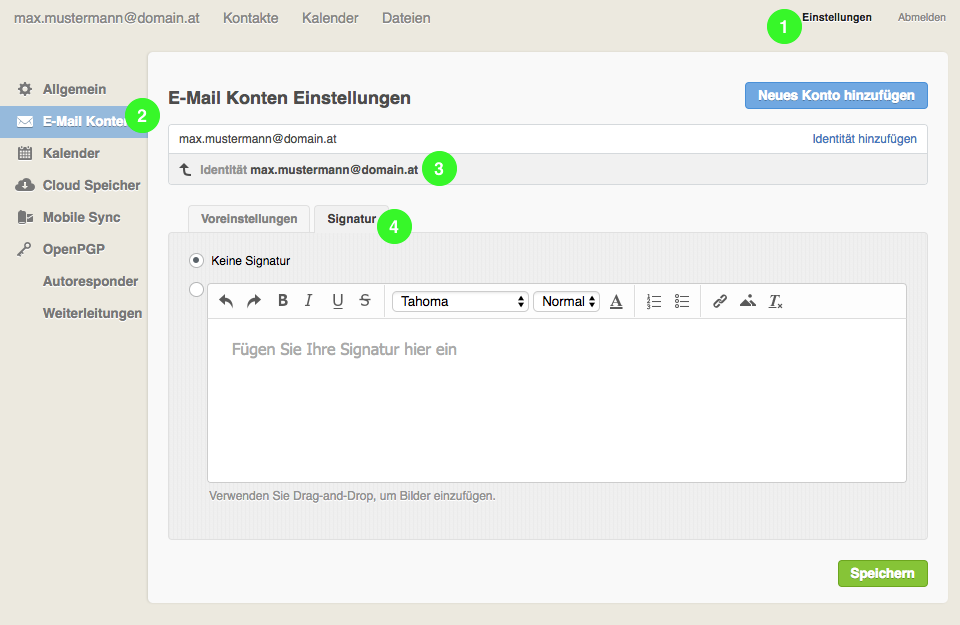
  • How do I change my email signature in Webmail?

    Sign in to EDIS Webmail.

    1. Open “Settings” in the top-right corner.
    2. Select “Email accounts” on the left.
    3. Click your name next to “Identity”.
    4. Open “Signature” and enter your signature text.
    5. Click “Save” at the bottom of the page.
  • Wie lege ich eine neue E-Mail-Adresse an?

    Melden Sie sich im vHost-Verwaltungsbereich an.
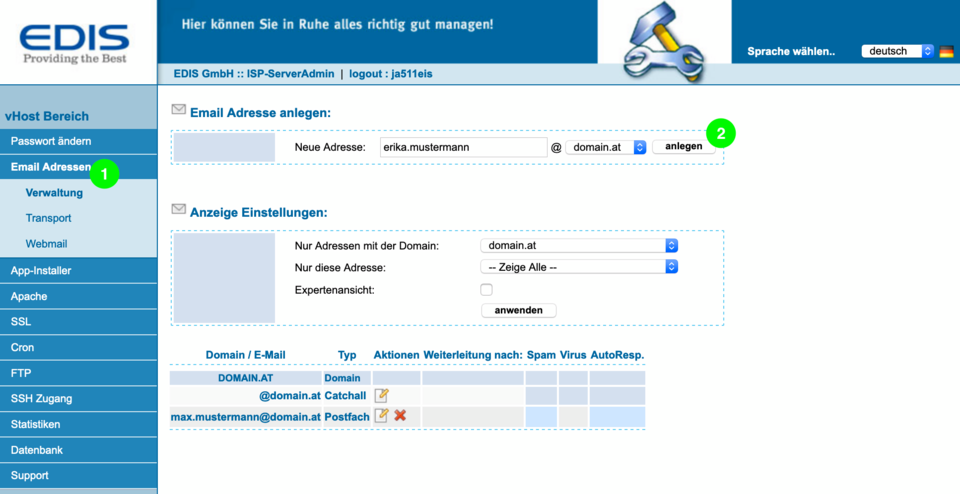
    1. Öffnen Sie links „Email Adressen“.
    2. Geben Sie die neue Adresse ein und wählen Sie die passende Domain.
    3. Klicken Sie auf „anlegen“.
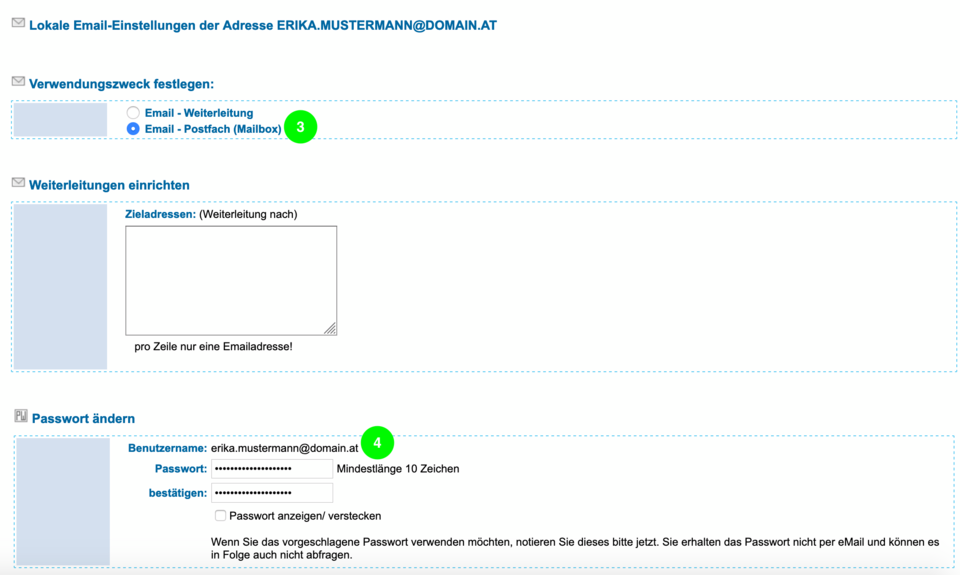
    4. Wählen Sie „Postfach (Mailbox)“.
    5. Vergeben Sie ein Kennwort.
    6. Klicken Sie am Seitenende auf „Speichern“.
    eMail-Adresse hinzufügen 01
    eMail-Adresse hinzufügen 02
Back to all categoriesn